![Fyxt logo small white.png]](https://helpcenter.fyxt.com/hs-fs/hubfs/Fyxt%20logo%20small%20white.png?height=40&name=Fyxt%20logo%20small%20white.png)
Modifying Job Status Timestamps
This tutorial explains how to modify the timestamps of Job Status updates to better reflect actual progress and completion times.
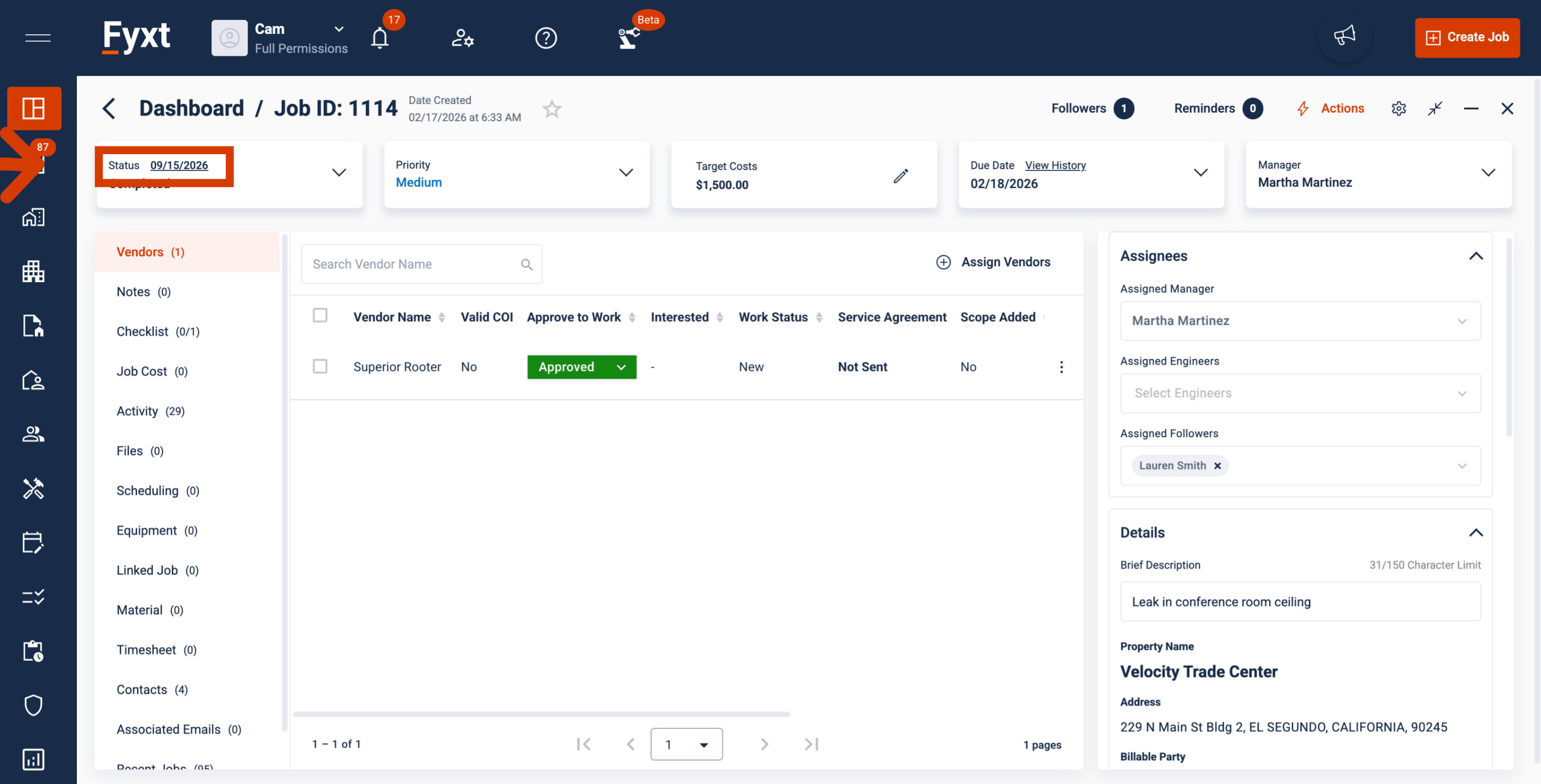
1. Viewing Job Status Timestamp
The timestamp associated to the current Job Status will be displayed as a hyperlink to users with permissions to edit. Click to begin edits.
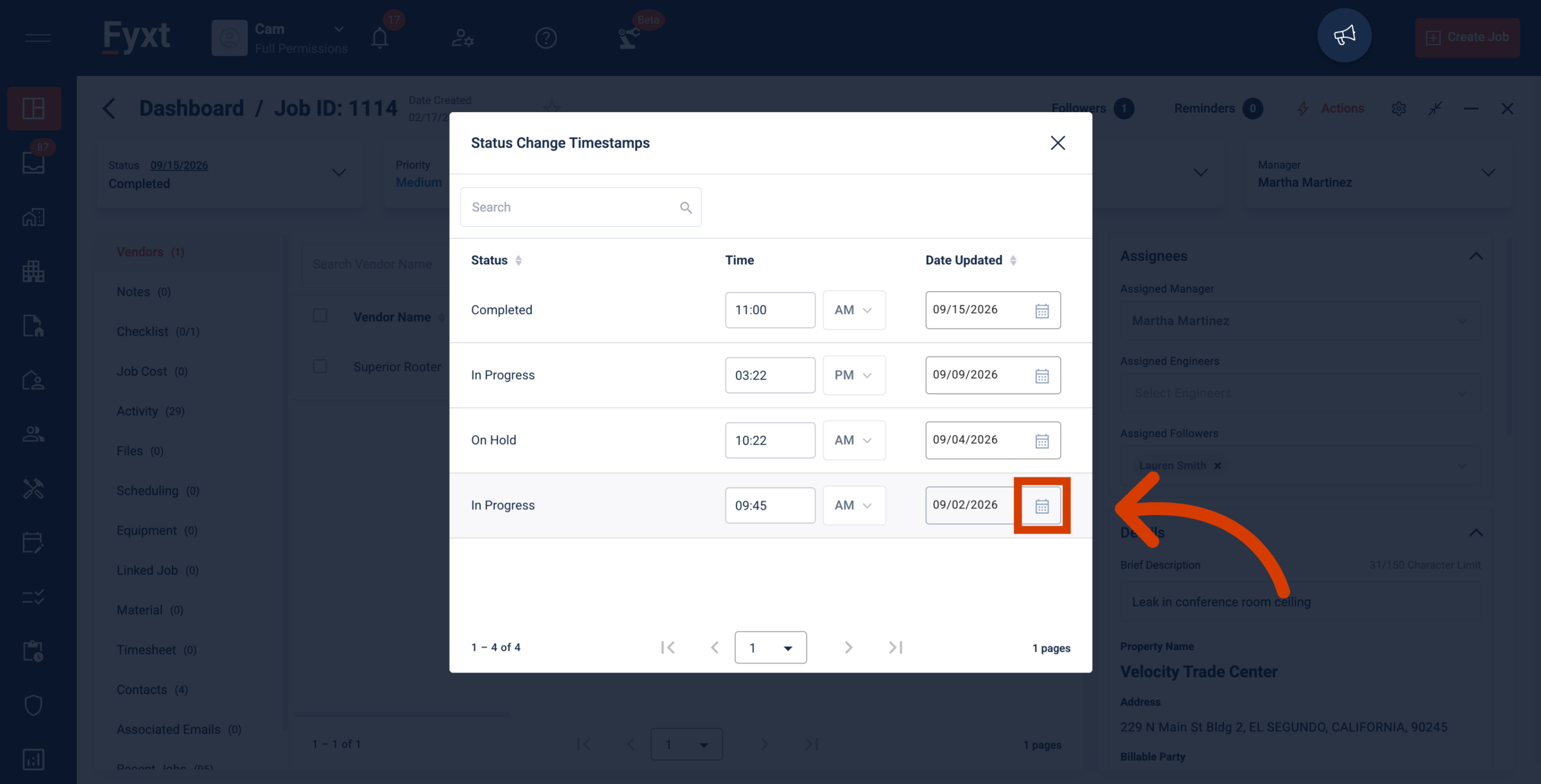
2. Modifying Timestamps: Date
Dates may be modified by manually typing a value into the field, or selecting the calendar icon to select a specific date.
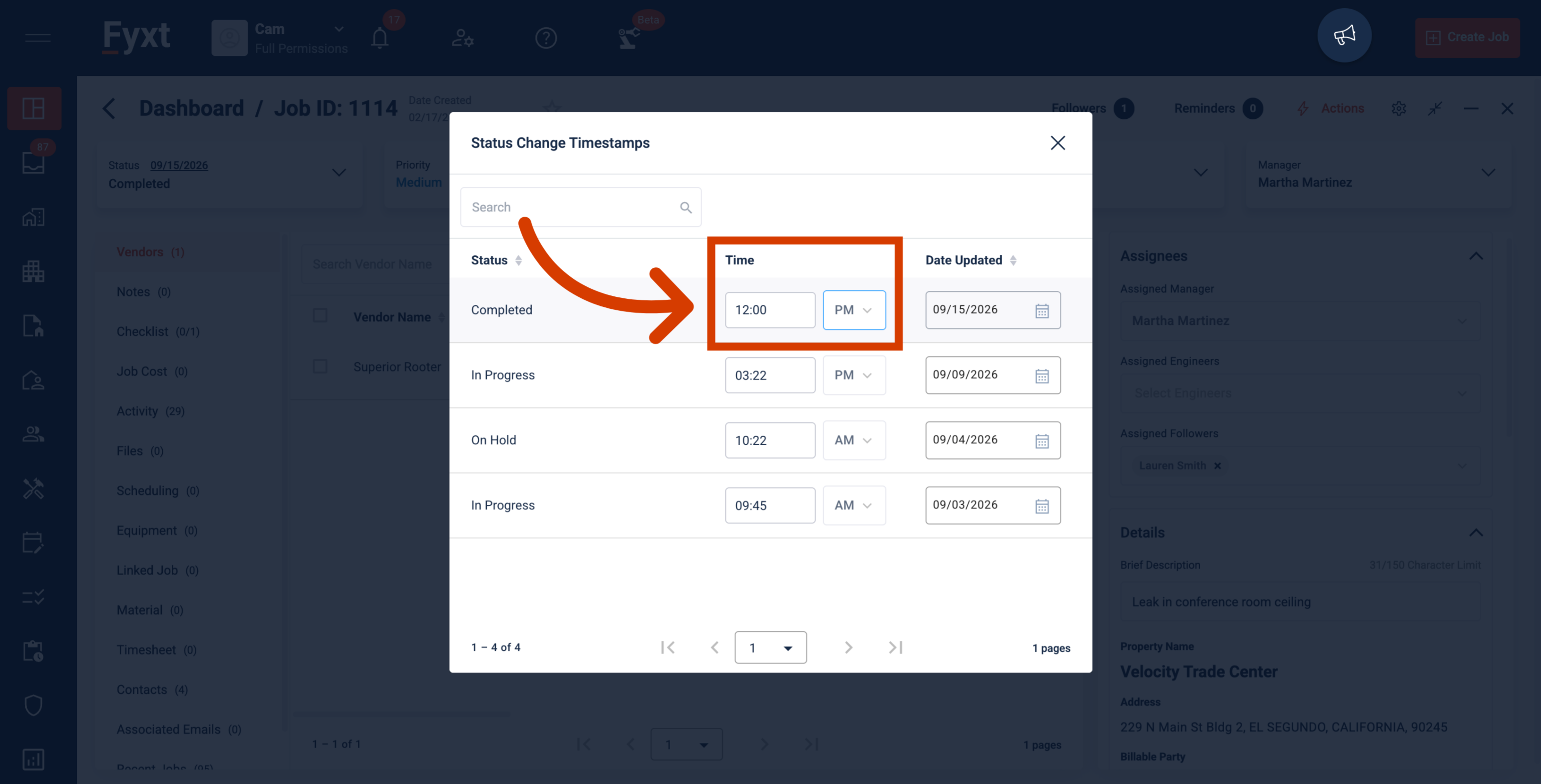
3. Modifying Timestamps: Time
Simply input the correct time and adjust AM/PM as necessary.
Thank you