![Fyxt logo small white.png]](https://helpcenter.fyxt.com/hs-fs/hubfs/Fyxt%20logo%20small%20white.png?height=40&name=Fyxt%20logo%20small%20white.png)
Custom Fields: Equipment
1. Starting in the Equipment Module
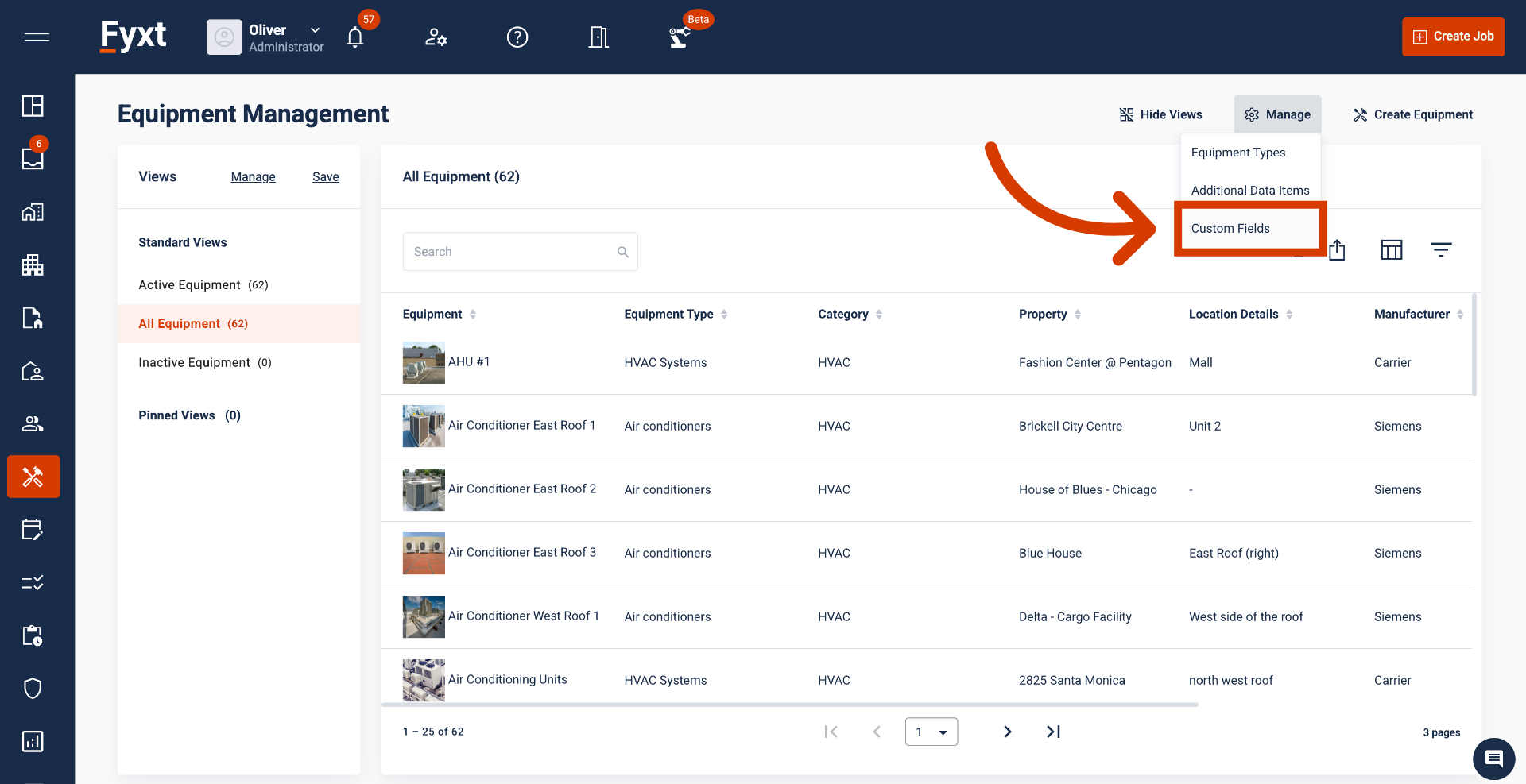
While within the Equipment Module, select Custom Fields from the Manage button.
2. Tab Configurations
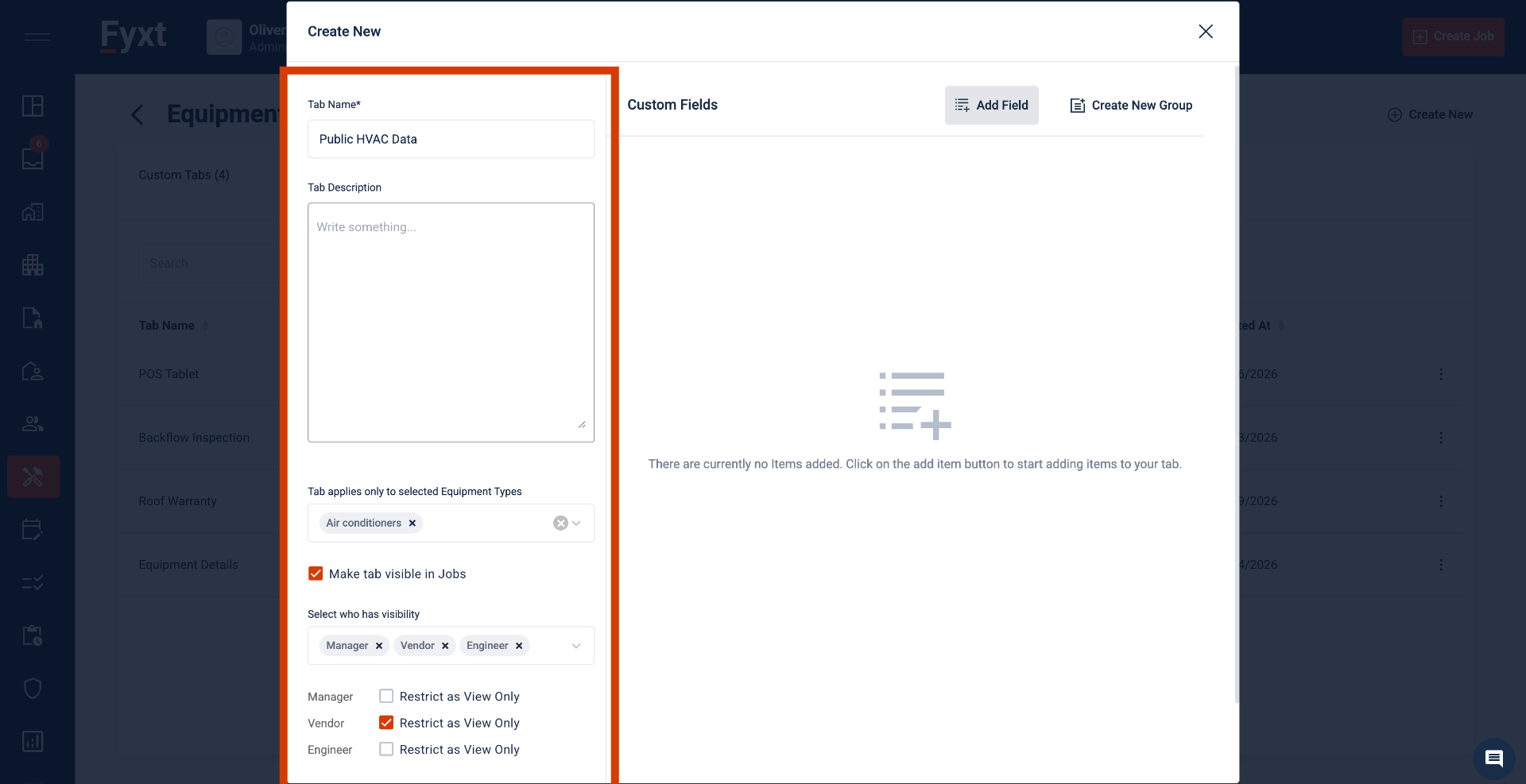
When creating new Custom Fields, the left panel supports details and configurations of the data. You may apply Custom Fields to specific Equipment Types, enable tab visibility in Jobs by user type, and set edit/view access by user type in Jobs.
3. Field Configurations
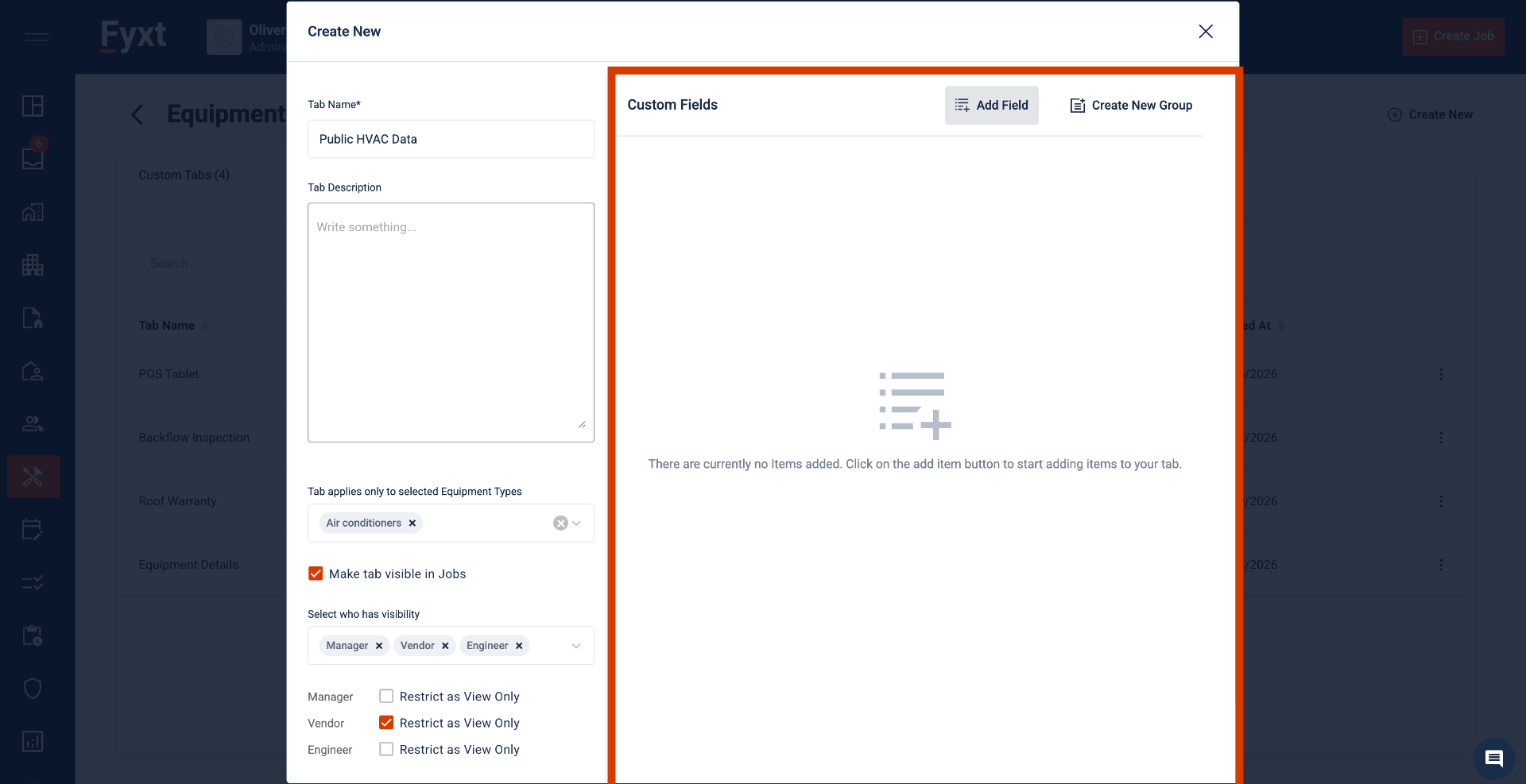
The right panel of Custom Fields supports configuring the data itself.
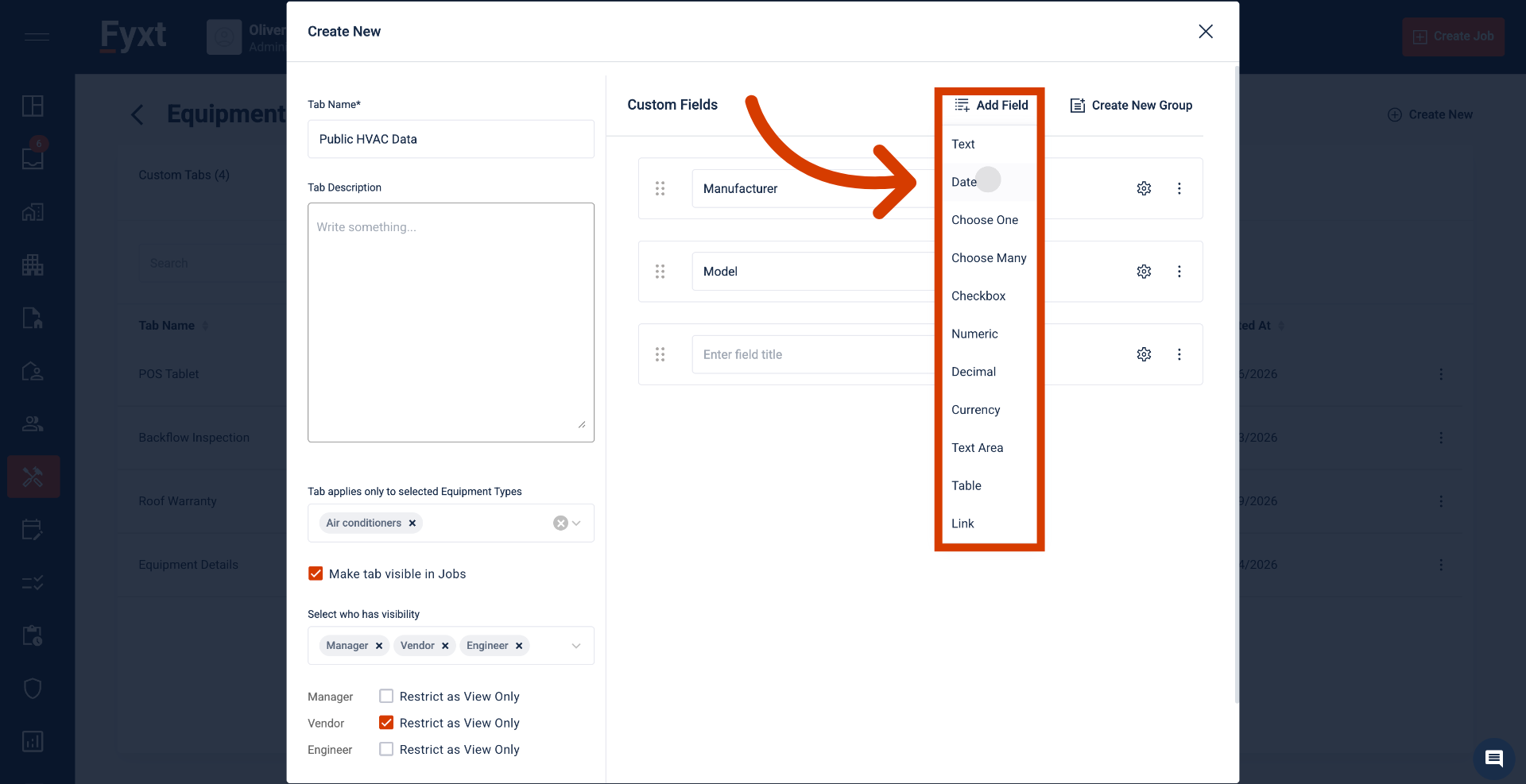
4. Field Types & Groups
Fyxt supports various field types accommodating a range of data needs.
5. Summary
Equipment Custom Fields now support comprehensive data tracking with granular visibility and edit permissions tailored to each user type.